Effective in delaying gratification. I’m convinced that this is my biggest productivity problem. When I feel like checking email, researching a topic online, or chatting on the phone, I just do it–even if that is NOT how I should be spending my time. Once I recorded the tasks that I wanted and needed to do, I immediately felt resistance. I think this is because of the perceived obligation I’ve written about before. I talked myself into delaying the tasks I suddenly wanted to do more than the ones I’d written down by saying, “You can do as little as you want on the first two tasks and then you can add two more tasks you really want to do.” I don’t believe I’ve ever found a reward more motivating for me than the opportunity to add new tasks! I knew I could pick absolutely anything which gave me a sense of control that I loved.
Eliminated overwhelm. I used my weekly planner to get a sense of everything I had to do for the week, but other than looking at my “must do” tasks for a given day (of which there were few), I had a maximum of three tasks in front of me at any given time. I no longer felt like I was buried in things I should be doing. What’s more, I added to this feeling of being on top of my tasks by refusing to add anything to my IQTell list that I couldn’t remember to do naturally.
Gave me a sense of completion. When I went to bed, my list was complete. That’s a feeling I’ve only had before by putting tasks off so they weren’t due today. I’m someone who has very few opportunities to experience completion so this was wonderful.
How SMEMA Made Me Crazy This Week
The Mark Forster forum shenanigans. I won’t go into detail, but there were some problems on the forum that were pretty frustrating. I can go a bit off course when I focus on what other users say is the best way to use an approach, too. The purpose of A Year of Living Productively is for me to find productivity hacks that work for me, to share ideas, and enjoy discussions with others about what works for them. It’s not to win a debate. I have teens for that purpose, after all!
Task ordering. There were times when I wrote down that I would do a first task followed by a second. Then something came up which made it difficult or impossible to use that order. I made a new rule for myself that changing of the order (or even the tasks!) was allowed as long as I wasn’t doing it just to procrastinate or get to a more fun task.
Not being able to use it every day. I had several days this week when my time was completely scheduled. There’s no point to using SMEMA then, but on the other hand, there’s no point to using ANY productivity hack.
Did SMEMA Help Me Get More Done?
Without a doubt, YES. I plan to continue using it, and to think of it as strengthening my skills in delaying gratification. I’m hopeful that the accountability of writing this blog will help me continue. If it falls apart, I can certainly update this post to that effect.
**UPDATE**
I never use SMEMA now. The biggest reason why is because of the resistance I had to the ordering of tasks. I find that I need more flexibility to deal with tasks in the moment.
The Productivity Approach I’ll Be Using for Week 6
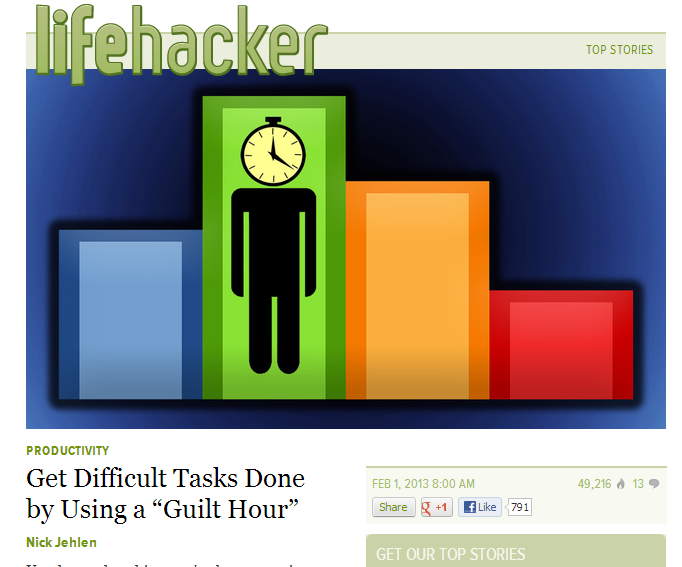
I read Nick Jehlen’s article on the Guilty Hour last month and knew I wanted to try it. I don’t mind having a backlog of things that I’d like to do, but I can’t stand feeling guilty about things I haven’t done.
The concept. Once a week, you work on the task you feel most guilty about for an hour. You can help someone with one of their guilt-producing tasks or vice versa, but because I don’t work with a team, I’ll be dealing with my own guilty tasks. I could spend an hour on one day this week on a guilty task, but I don’t know that I would experience the power of the method that way. Instead, I will spend a minimum of 15 minutes 4 days in the upcoming week on the task(s) I feel most guilty about. If I find I want to keep working, I will. If I don’t, I won’t.
If you’d like to join me this week, here’s what you do. Read the article on Lifehacker. Decide if you’ll do one hour once this week (and when) or if you’ll break it up as I plan to do. Then get ready to go guiltless!
To see how the Guilt Hour worked for me, click here.
If you’ve tried SMEMA to increase your productivity, please vote in the poll below.
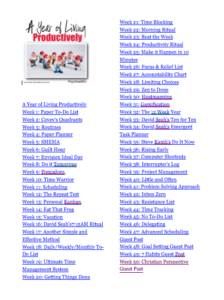
Here are the links to the productivity hacks I’ve tried so far:
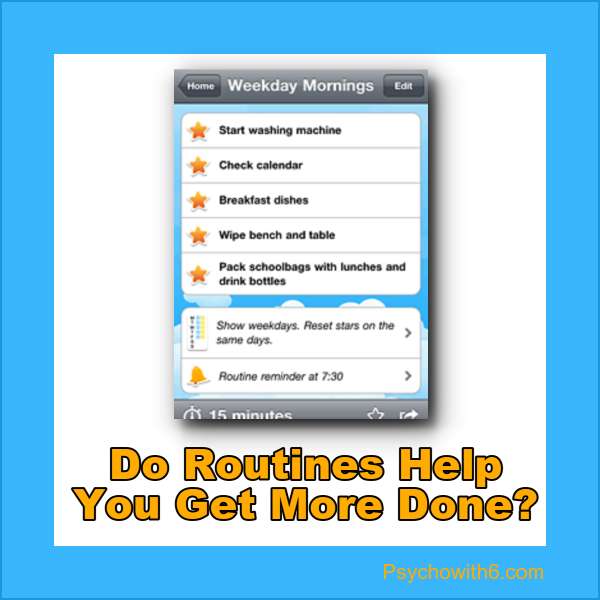
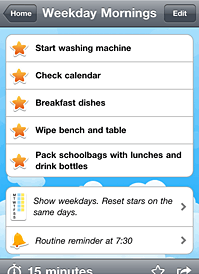
This week I tested the ability of routines to help me get more done. At the end of last week’s post I shared my approach. I have morning, school, afternoon, evening, and weekday routines in my HomeRoutines iPhone app. I had to do a little tweaking of the routines I’d created previously in order to fully test this productivity hack. Here’s what I learned.
How Routines Saved My Sanity This Week
Motivated me to finish the mundane. I was super excited to put this hack to work, especially after I tweaked the routines. Being able to click a star on my app after doing things like showering was motivating. I know. I’m weird. I buzzed around like a bee at the beginning of the week, trying to complete as many stars as I could.
Extremely effective in keeping the day moving. As I thought about how to change my routines, I realized that I often get stuck on a school subject for too long. I added Spanish to the daily schedule, rather than trying to do two longer sessions during the week and it’s working beautifully. The HomeRoutines app has a built-in timer and I found myself really enjoying that. The kids and I clean ten minutes per floor in the morning. As a result of thinking about routines, I started spending time filing during my ten minutes in the school room. In the past, I left that for a weekday and couldn’t seem to get myself to do it. I enjoyed seeing how much I could get done before the timer went off. Giving myself permission to check off a star if I’d done any work at all on the task made a difference, too.
Prevented procrastination. I thought about blowing off a mail task I had to do, but decided to really try to stick with the routine. I did it and wondered why on earth I procrastinate on mailing stuff! It’s no big deal.
How Routines Made Me Crazy This Week
This was an unusual week with a holiday and a snow day. I kept feeling like I should be doing school as usual, but didn’t. The result was I didn’t do much, but didn’t enjoy it. I doubt that this was the result of routines, however.
I wasn’t sure what tasks were most important and I was stressed. I was only focused on my routines, so didn’t know what critical or just important tasks I should be working on. And I didn’t factor in enough time in my routine to figure that out.
I resisted the routines. Routines worked beautifully in the mornings I was doing school. Afternoons and evenings were another story. When I get started on something (like writing or clearing email), I really don’t want to stop. Nirvana for me is a day that I can do anything with no obligations whatsoever. Having a routine that I *should* be using felt like an obligation. Besides, it wasn’t very practical. My son’s birthday was this week and with the snow, we felt like watching a movie later than usual. That meant I couldn’t follow my evening routine or at least that I didn’t want to.
Did Routines Help Me Get More Done?
They definitely did! That was especially true when I used them. I’m happy enough with them that I plan to keep using my morning and school routines. As for afternoons and evenings, I’m not sure. It may be that subconsciously, I want to be free to do what I want at these times.
**Update**
I don’t currently use the HomeRoutines app, but routines are an essential part of my life. My current morning routine for example, is exercise, write, breakfast, devotions, shower, chores, and school.
The Productivity Approach I’ll Be Using for Week 4
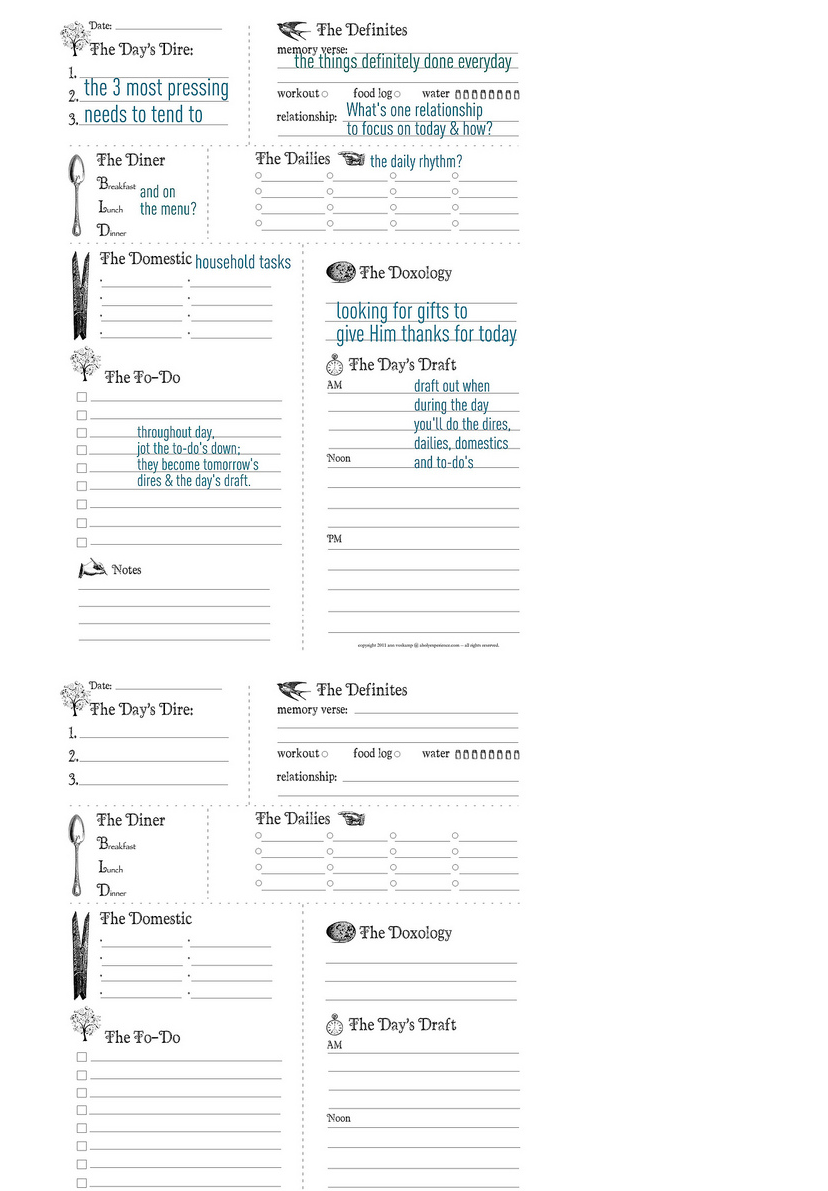
I heard about Ann Vosskamp’s Daily Planner on Next Gen Homeschool. I love that these forms give you a visual overview of the day. Yes, they’re paper! There is a weekly planning page I will use as well. I purchased a beautiful floral clipboard with a folder and notepad inside to store the pages from Target. I can’t find a link, sorry! I think adding this paper overview to my routines will really help–especially with knowing what HAS to be done.
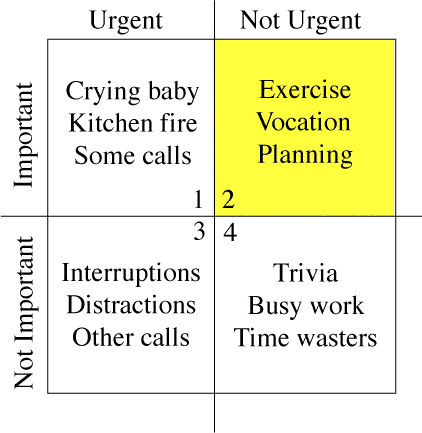
I wanted to know if categorizing my tasks by importance and urgency using Stephen Covey’s matrix from First Things First would increase my productivity. I chose to create labels for each quadrant using IQTell. I spent quite a bit of time assigning my tasks to these categories and here’s what I discovered about this productivity philosophy.
How Covey’s Quadrants Saved My Sanity This Week
I know I already understand what’s important and I do important things. I had about twice the amount of important and non-urgent tasks as I did important and urgent tasks. I don’t think that’s because I am not spending enough time in Quadrant II, however. I am with my children, and to a significant extent, my husband all day. Next to my time set apart for devotions, they are my top priority. The tasks in Quadrant II are generally related to writing and organizing. There are just a LOT of things I should get around to doing in those areas. And I do spend a lot of time doing them. All of that to say, knowing what’s important in your life is paramount to choosing tasks. Committing to spending time doing those important, non-urgent tasks is also vital. I have both of those down, but there are problems using this philosophy as your only productivity method.
How Covey’s Quadrants Made Me Crazy This Week
I already have my tasks tagged for priority. The Important/Urgent tasks correspond to my must-do tasks with due dates. The Important/Not Urgent tasks correspond to my should-do tasks with no or longer-term due dates. The labels added nothing new.
I was overwhelmed. Using only the categories to work from, I had 40 important/urgent tasks and 80 important/non-urgent tasks. As opposed to last week when I tested paper and felt motivated, this week I didn’t want to do anything.
I don’t put unimportant tasks in my task list. I don’t write down “surf the web” or “spend an hour on Facebook.” I just DO those things. The matrix had no effect on whether or not I engaged in certain activities.
Importance is confusing. Even the activities that most people would label unimportant may have been important to me at the time. Didn’t I learn something and relax after a busy day? Social media is important to me, whereas it isn’t to other people.
Did Covey’s Quadrants Help Me Get More Done?
Unequivocally, NO. My productivity took a nosedive. Was that because I didn’t use paper? I’m certainly willing to entertain that possibility and plan to test other paper approaches this year. For me, though, Covey’s quadrants are more of a philosophical approach to tasks that have nothing to do with how much you do–even important things.
**Update**
While I don’t organize my tasks in a task list by priority, I have a new appreciation for focusing on the important, but not urgent tasks. My current approach is to schedule these types of tasks as early in the day as possible so I get to them.
The Productivity Approach I’ll Be Using for Week 3
I was reading Blog at Home Mom this week and author, Christin Slade reminded me that when I abandon routines, my productivity and my life suffer–even though I tell myself I’ll be fine. FLYLady‘s routines were the very first productivity approach I used. Before I found her, I did things willy-nilly. Even when I put things on a calendar, I wouldn’t check it before I started my day. Dishes, laundry, cleaning were done “whenever.” So profound were the changes in me after adopting routines, that I wrote an article about it for Woman’s Day magazine, began speaking about it, and was inspired to write So You’re Not Wonder Woman?.
My original routines were written in a notebook. When I got an iPhone and the HomeRoutines app came out, I gave it a try. I really liked it. I added more steps to my routines that I thought would help me get more important things done. The only problem I had was feeling bad if I didn’t do every single part of my routines. I quit because of my perfectionism. But I’d like to try it again with a new attitude. This time, if I do any part of a routine step, I will give myself credit. AND my goal will be to do half of my routines. If I do half of them, I will be doing considerably more than I’m doing now.
If you’d like to join me for a week, here’s what you do. Make a simple evening and morning routine on paper. If you want to go hog wild and have a school/work and/or afternoon routine, I can hardly say no. But I think you’ll have better luck sticking with short morning and evening routines. The HomeRoutines app is $4.99, but I’m not encouraging you to buy it until you determine that you like working with routines. Include steps in your routines that will help you organize your tasks and will help you feel on top of things. Loading the dishwasher each evening was a huge step forward for me. If you already do things every evening and morning, add a couple of new tasks to each routine. Make them as small or as broad as you need to (i.e., load dishwasher or clean up kitchen). I would list my routines for you, but I’m pretty sure you’d freak out. I’m psycho, remember?
To see how my work using home routines went, click here.
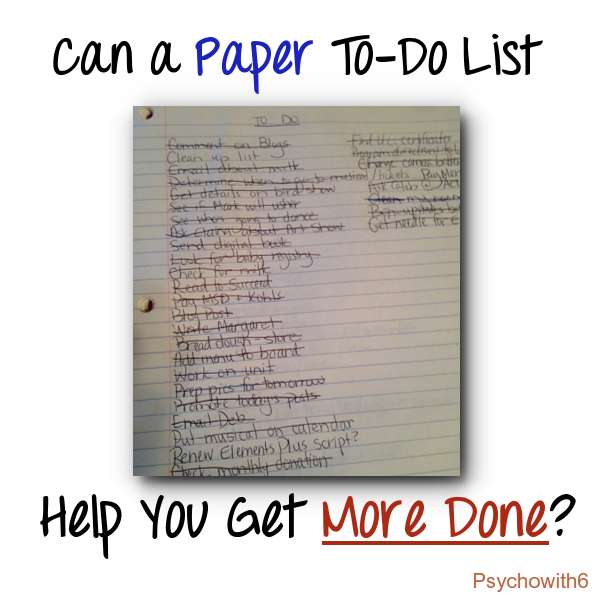
When I told a friend whom I met on a productivity forum that I was going to be using a paper to-do list this week, she laughed and said, “Techno Girl is going paper, huh?”
Yeah, I’m out of my element. I haven’t consistently used a paper to-do list in many years. Those of you who’ve always used paper may be frustrated with me. First, I’ve discovered benefits of paper that are no-brainers for you. But second, I’ve also discovered some frustrations with paper that you will think aren’t an issue at all.
How a Paper To-Do List Saved My Sanity This Week
A sense of completion. The biggest unexpected benefit for me was feeling like I actually accomplished something. I do think I did more than normal, but even if I hadn’t, I felt like I did. Most digital to-do lists dismiss completed tasks from view, leaving me with the feeling that I haven’t accomplished anything. In fact, I assumed that I hadn’t gotten much done this week until I noticed that most of my tasks are crossed off. There’s just something about crossing off a task with a pen, too.
Reduced overwhelm. Because I only planned to use paper for the work week, I didn’t list everything that I could potentially do in twenty lifetimes–which is what I tend to do on a digital list. Several times when I felt stressed, I reviewed my list and thought, “That’s all?” A limited number of potential tasks is a very good thing for someone like me.
I left it behind. One of the things I assumed was a drawback of paper was actually a benefit to me this week. Because I didn’t take my list everywhere with me like I do with digital lists on my phone, I felt like I didn’t have to do anything but enjoy the activity at hand. So I chatted with friends at the kids’ P.E. class rather than trying to figure out what tasks I could do at the same time.
How a Paper To-Do List Made Me Crazy This Week
Lack of integration with e-mail. I am accustomed to having my email and tasks work together. I didn’t like the feeling of wasting time writing down email-related tasks. I expect that paper users don’t do this, but because I clean out my inbox constantly, I didn’t know what else to do.
Pen failure. Not only did my pen run out of ink, but it tore my paper as I tried to get it to work. Then I couldn’t find a decent pen. That’s the kind of thing that drives me nutty.
Poor follow-up system. If I knew I wasn’t going to work on a task until after this week, I didn’t have a good place to put it. I chose to use a digital approach because I no longer use a paper planner nor do I keep written notes. For me, it seemed silly to have to move back and forth from paper to digital and all-paper is out of the question for this woman who needs digital alarms to remember any kind of appointment.
Did a Paper To-Do List Help Me Get More Done?
Yes! I was more motivated to cross off tasks that remained on my list and felt productive finishing my to-do’s for a change. While I am ready to return to a digital list this week, I realize that I have to find a way to limit my lists AND see everything that I’ve finished.
***Update***
I still occasionally make paper lists and like them when I do. But my primary lists are digital because of the convenience of having my phone with me at all times.
The Productivity Approach I’ll Be Using for Week 2
The late Dr. Stephen Covey’s approach to productivity explained in First Things First can be distilled down to his focus on four kinds of work: urgent/important; not urgent/important; urgent/unimportant; and not urgent/unimportant. He emphasized the importance of spending time in Quadrant II: not urgent/important. Urgent and important tasks are attended to without much effort, but those activities which enable us to grow, build relationships, or fulfill our dreams are so often put on the back burner because they don’t demand our time. That is, unless you have my kids and husband. They demand my time! But I’m thankful for that. Of course, Covey urged us to spend less time doing unimportant things, urgent or not.
This week, I am going to see whether categorizing all of my tasks by these four quadrants will improve my productivity. I’ve spent a lot of time determining what’s important in my life, so I am ready to go. I am beta testing IQTell and will be using this very flexible system to categorize tasks this way. If you’d like to join me this week, you can set up tags or categories for almost any digital to-do list. However, there are paper forms for you pen lovers, too.
Hoping that checking in with your results next week at least ranks as Quadrant III! Please vote on whether paper helps you be more productive before you click off to get things done. Have a blessed week!
Have you wondered if a new approach to productivity could help you in your home management, homeschooling, or business? I have.
My Passion for Productivity
My life is full with being a wife of an active husband, a mother of six, a home educator, fitness enthusiast, scrapbooker, tennis player, church volunteer, speaker, writer, and more. Over the years, many people have told me that I need to learn to say no. So that’s just what I say to them: “no!”
I love everything I do and I don’t want to eliminate any of those roles or activities. What I do instead is seek to make the most of every precious day I’ve been given. That means I try lots of productivity tips, techniques, and tools. People who know me best laugh when I talk about my latest-and-greatest way of working, because they know it won’t be long before I’m on to the next thing.
Can You Relate?
My guess is you can. Posts on productivity are some of my most popular here on Psychowith6 and I couldn’t be happier about that. I have to write to you about my passion, because my friends won’t listen to me anymore!
It used to bother me that I couldn’t just stick to one approach to time management. It doesn’t anymore. As Loren Pinilis of Life of a Steward reminds us, God is okay with us finding what works for us. Doing that may require lots of exploration to fine-tune your system.
Use a different productivity approach every week for a year
I’m going to rate each method and write about it here. I know, it’s nuts. I’m sure the crockpot lady asked herself what she was thinking after the first week! But I’m going to lay down some ground rules that I think will help:
If I need to quit doing something because I absolutely hate it, I will. The point is not to torture myself, but to discover what works for me and maybe for you, too.
I won’t completely abandon strategies I’ve come to rely on. For example, I use Google Calendar alerts on my iPhone to keep me from forgetting appointments.
I’m committed to writing about the approach I’ll be using for the upcoming work week each Friday, but I’m more committed to my family and my sanity. If something comes up, I’ll try to let you know on the way to the hospital. Not.
I reserve the right to take vacations and the right to call the end of December 2013 “a year.” So I didn’t start this January 1. Sue me. I’ll return your money.
Care to Join Me in a Year of Living Productively?
If you prefer to read as you’re able and silently snicker at my shenanigans, feel free. But if you’d like to take the adventure with me, I’d love the company! You’ll have the weekend to prepare to use the given method. Come Monday, give the new approach a shot and report back on your results, rating it for its ability to help you be productive on a 1-10 scale. If you’re a homeschooler, you could even try some of these methods with your older kids and get their feedback. And if you have a method you’d like me to test for you, I will certainly be your productivity guinea pig.
Week 1
Because you don’t have much advance notice,Week 1 is going to be the Old Faithful paper to-do list. Nothing fancy! You can use a sheet of paper, a pretty notebook, or a note card–just no sticky notes. Write down anything you have to do on your list and cross it off as you complete it. There are no other rules than that.
If you know me at all, you know that I’m like a QVC host when it comes to talking about productivity and time management. After talking about something nonstop for a short time, something else becomes the latest and greatest thing that you just HAVE to try. I’m getting a headache just thinking about listing them all with links, so I’ll skip doing that.
The last couple of days I’ve noticed the signs that I was about to start looking for a new product to pitch. I was reading about methods I’d already tried and discarded (GTD and Toodledo) as well as a method of phone automation that would require me to get a degree in engineering to set up. I first noticed my own tendency to perpetually seek out new methods of managing tasks when I hung out on Mark Forster’s forum. Every couple of weeks there, I would post about the latest tweak or software program I was using. What’s more, the psychologist in me was fascinated by the number of people (including Forster himself) who did the same.
What’s Wrong With Me?
I’ve spent years in personal productivity “psychoanalysis” and plenty of time diagnosing others’ time management woes. Some of the factors that lead to serial program addiction include:
Overcommitment – We often switch programs to avoid dealing with the fact that we simply can’t do everything
Perfectionism – We sometimes believe (against better judgment that the right program would allow us to get everything done every day)
Comparison – We may believe that others are getting more (or more important) things done because of the approach they are using
Discontentment – We think that somehow we can have more time to do what we want if we change programs
Boredom – We may recall the last little bit of excitement we had when changing approaches to getting things done and switch gears for a pick-me-up
The Real Reason We Change our Task Management Approach
Those insights haven’t kept me from once again going down the slow road to sloth. So I asked myself WHY once again.
I immediately thought, “I need to get motivated.”
A reasonable rationale, for sure. After all, I had a whole blog devoted to motivating homeschoolers. A desire for motivation underlies all the other factors that lead to problems with our current approach. If we’re overcommitted, we feel we need to get motivated to get more done or drop some commitments. If we’re perfectionistic or comparing, we think motivation is just what we need to get our time management up to standard. If we’re discontented or bored, we believe that a good shot of motivation will be a cure-all. But for the first time, I questioned the premise. Do I really need to get motivated?
The Charles (Pa) Ingalls Productivity Approach
One of my heroes is Charles Ingalls, Pa from the Little House books by Laura Ingalls Wilder. I would love to know if he was really the incredible dad and man Laura made him out to be. I hope so! A model of productivity, he built homes and fences, farmed, hunted, traded, parented, helped his neighbors, and played the violin. Along the way, he seemed to have a lot of fun. I can’t imagine this productivity hero of mine ever saying, “I need to get motivated.” Pa saying he needed to get motivated to build furniture, make the long, cold trip to buy supplies, or harvest the hay? Laughable.
Was Pa just naturally motivated, I wondered? Perhaps he got more of the motivation gene than the average person. Maybe that was my problem. I just lack the super charge I need to get things done and it isn’t my fault; I wasn’t born with the gene.
Nah.
Like romantic love, motivation wasn’t considered necessary to be faithful in times past. Pa didn’t need motivation to do what needed to be done and neither did Ma. They didn’t read about every conceivable way to achieve their goals; they just got busy and didn’t worry about the rest. Believing that we need motivation is like thinking we need a smart phone to get things done. It’s nice, but NOT necessary.
Christians aren’t commanded to have the mind of Pa Ingalls, but the mind of Christ. What if Jesus had thought, “I need to get motivated before I feed these people, heal this man, go to the cross”? Thank God, He didn’t.
Why It Only Takes 5 Minutes to Super Charge Your Productivity
In the time it’s taken you to read (or skim) this post, you have exactly what you need to have super-powered productivity: Recognize that you do NOT need to be motivated. Nike was right: Just DO it.
If you’re still here:
Close the app store window (you don’t need a new productivity app)
I’m a Christian psychologist turned homeschooling mother of six. My life can be a little crazy, so I look for sanity-saving ideas to use and share. I hope you’ll read my About page to learn more.