Last week I invited you to share your tried-and-true recipes with us. So many of you clicked through to see the recipes others have actually made and loved, only to find that mine were just about the only recipes linked up. I have some theories about why this was the case:
a) You have no time to find your favorite recipes on Pinterest, let alone figure out how to link them up. You may have even been at the drive-through when you read the post.
b) You don’t even know what I’m talking about. You’re on summer vacation after all!
c) You pin recipes. You don’t actually MAKE them.
If option c applies to you, allow me to encourage you to make one of the great-looking recipes on your “to try” boards. I want to make it even easier for you!
The problem with making Pinterest recipes is we know that sometimes we’re being deceived by the photos. Sometimes that delectable-looking dish is going to taste disgusting and that’s after spending a ton of time and money making it. Wouldn’t you feel more comfortable actually making these dishes if a real person had made them and could vouch for them?
You know what I mean. Some of these food bloggers know the key words to use to get our mouths watering. Right now I think they could concoct a s’more omelet and we’d pin it. Sure they’re going to make it look good. And most of the comments on their sites are along the lines of “Can’t wait to try it!” Truth is we are most likely to make dishes we have eaten elsewhere and we are second most likely to make dishes our friends rave about. When a non-food blogger says a dish is to-die-for, we’re all ears.
I prowled Pinterest for real people with boards of recipes they’ve actually MADE and liked. I’m following them and you might like to, too:
Shayla has some healthy and yummy looking recipes I can’t wait to try.
Jeannette has a huge variety of recipes here that are quick and get raves.
Katt has a nice selection of breads, soups, breakfast and more. She reports how it went over and how she would change it.
Miranda offers up plenty of yummy main dish recipes, including crock pot recipes, often giving a brief review.
Joanne has pinned some of the yummiest looking dishes ever, including desserts. My mouth is watering. She also shares comments.
Karie offers a creative variety of dishes on her Made board, too. I love that she describes one of the dishes as “Awesome!” That’s exactly how my friends and I talk about food.
Now It’s Your Turn
You can either link up your “Made” boards and recipes below after pinning the graphic for this post (see this post for full instructions) or share the link to a recipe you’re committed to trying in the next week in the comments. Come back and tell us if it’s a winner.
I’ll be making Clean Eating Lemon Muffins. I am being more intentional about clean eating and my kids are crazy for lemon. I think this will be a nice change of pace for breakfast.
Update: The Clean Eating Lemon Muffins were a fail for my family, unfortunately. I would have needed to zest four large lemons to have enough zest and I didn’t care for the lemon extract taste. I think the problem is we’re comparing the taste to lemon cakes that are loaded with fat and sugar.
I don’t plan on doing another Pinterest link-up. But I will be sharing recipes I’ve tried and pins and pinners you shouldn’t miss. So be sure to click here for the latest finds.
This week I tested Mark Forster’s Ultimate Time Management System. I used a paper list of things I wanted to accomplish in the next two weeks. I worked the old list in any way I wanted, but had to continue through the newly added list of tasks, having to return to the old list when the end of the new list was reached. Scroll to the bottom of last week’s post for more details.
How the Ultimate Time Management System Saved My Sanity This Week
Had me focused on accomplishing “old” tasks. I’ve mentioned before how much I like a closed list of tasks. I found myself very motivated to cross off to-do’s that have been languishing in favor of the new shiny tasks I added.
Gave me an overview of how quickly tasks add up. Adding tasks to IQTell can shield me from the sheer number of them. Not so with a paper list.
No complicated rules. I really didn’t feel hampered in any way as I did what I felt needed doing.
How the Ultimate Time Management System Made Me Crazy This Week
I resisted adding new tasks to the list. Instead of writing them down and seeing my list grow (and potentially keeping myself from doing what I wanted to do), I just DID the new shiny things. A big part of the problem was having a paper list. The list was in one part of the house and I was in another. Why bother finding it to write down a new task when you can just do it? That was my philosophy this week anyway. Unlike DIT, the system offers no clues that you are taking on too much work.
The closed list was too large. On Mark’s forum, Seraphim, mentioned using a one-week time frame for the old list. I think that would have helped a lot. Doing a two-week test made me feel like there was no way I could finish the old list, so I gave up.
Things fell through the cracks. Every day, I put a dot in front of the tasks I really needed to accomplish that day. That helped. But I found myself missing things anyway, because I wasn’t using my Due Today IQtell list.
No big picture. There was such a large mishmash of tasks and projects on the list with no prioritization, that I felt disoriented. Reading the whole list every day was time-consuming and anxiety-provoking.
Did the Ultimate Time Management System Help Me Get More Done?
At first, yes. But after several days, the motivation to finish the old list disappeared. I think a week’s list of things you think you can realistically do might have been more effective. The rules didn’t help me with procrastination, but that’s most likely because I got nowhere near the end of the old list.
**UPDATE**
I honestly don’t worry about old lists of tasks anymore. I look through my list of tasks on ToDoist and choose one per area during my weekly planning session. I often delete tasks that have become irrelevant at that time.
The Productivity Approach I’ll Be Using for Week 20
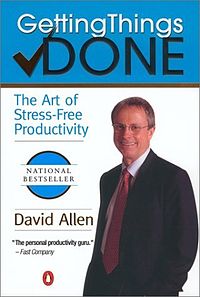
This week I’ll be testing David Allen’s Getting Things Done. I’ll be using IQTell to collect everything I need to do. I’ll be organizing my tasks by priority (I use Must, Should, Could), context (iPhone, errand, etc.), and by time and energy required. Tasks will be sorted into appropriate projects. Rather than Someday/Maybe, tasks will be given a date to consider them in the future. Why? Have you seen Pinterest? That’s my Someday/Maybe list. The notion that I could review all of my Someday/Maybe’s every week during a review is just funny.
The concept. David Allen‘s primary goal seems to be not just helping people get things done, but to have peace of mind while doing so. He points out that unless we put all of our potential tasks into a “trusted system” (that we know will keep us from forgetting the important stuff), we will continue to be anxious about them. A weekly review is done of everything on our plates (paper inboxes, meeting notes, project support files, etc.), allowing tasks to be trashed, filed, done (if less than 2 minutes – though he mentions situations for which this time varies), delegated, or deferred (put on calendar or into a task list). He suggested this weekly review take place on Friday so the weekend can be peaceful, but any day that works is acceptable.
Projects are worked on in terms of Next Actions — the next physical action you can take to move the project forward. The idea is that we often resist work because we haven’t made the steps required clear. “Plan birthday party” might have a Next Action of “Make a list of potential dates.”
Much criticism has been made of David’s concept of working according to context in our age of smart phones and ubiquitous computers that enable us to do so much. However, rereading the book surprised me that context is just one way David says we can choose to actually do the work. Once all tasks are in your system (paper or digital), you may be working completely around your calendar (e.g., meetings) or you could choose to work by priority (nothing about GTD prohibits Eat That Frog, for example), time required (I have 15 minutes before I have to leave) or energy level (at the end of the day, you may want to read, listen to podcasts, or watch videos, for example).
If you’d like to join me this week, here’s what you do. Read this summary of Getting Things Done. You’ll see there is more to the philosophy than I’ve mentioned. Choose a system to collect your to-do’s. Any inexpensive office store planner would do the trick. Besides IQTell, here is a list of free sites for managing GTD digitally. This infographic may help you in organizing your work after collecting it. Then get things done!
Click here to see how my week of contexts in GTD went.
How A Daily/Weekly/Monthly To-Do List Saved My Sanity This Week
Kept me from being surprised by important tasks. I don’t have a regular routine of reviewing the upcoming month or week and I absolutely loved this aspect of the system.
Gave me a sense of control. Because I checked every source of tasks (paper inbox, backlog, calendar) before making my lists, I felt on top of my work.
How A Daily/Weekly/Monthly To-Do List Made Me Crazy This Week
Lists were too big. While I really don’t like rules that limit me to an arbitrary number of tasks, I also didn’t like that I was allowed to have a huge weekly list. I think I had half my month’s list on this week’s list. Each day’s list was so large as well that the motivation to complete it just wasn’t there. I never came close to finishing a day’s list or the list for the week.
Closed nature of the lists was confusing. We had a discussion in the comments about what to do with tasks that came up. I suggested that it made sense to replace one of the tasks on the list with a new one. But the list was so big, it really didn’t matter.
I had low energy. Unfortunately, I’m still not brimming with excess energy. I didn’t have it in me to really dive in and do many of the tasks on my list–especially because the lists were large. However, my summer project list continues to motivate me! There’s a lesson in there somewhere that I need to reflect on.
Did A Daily/Weekly/Monthly Help Me Get More Done?
No. But I really like the exercise of planning a week and a month in advance. If I hadn’t attempted to get a year’s worth of work done in a week, I think it would have worked.
**UPDATE**
This is one of the most popular posts in this series and I understand why. I have been just as interested in having a daily/weekly/monthly to-do list. I don’t use this one. I posted on a better daily/weekly/monthly to-do list and my 1-Thing To-Do List is the only list of this type I use consistently.
The Productivity Approach I’ll Be Using for Week 19
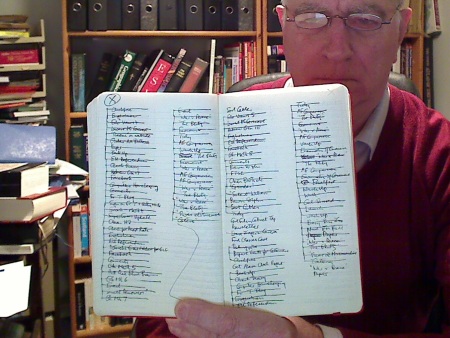
This week I’ll be testing Mark Forster’s Ultimate Time Management System. (I’ll wait while you chuckle.) Mark is developing methods of time management faster than I can test them and I’m running out of pictures to use (this is not this particular approach pictured). I continue to test Mark’s methods because they’re unique and my traffic always goes up when I do. I’ll begin with a closed paper list of OLD tasks to accomplish–what I’d like to complete in the next couple of weeks. Old tasks continue to be worked on and are re-added to the old list until they’re complete. New tasks go on the new paper list. When the old list is finished, the new list becomes the old list. Got it?
The concept. Mark has created rules for task management that create a closed list of old tasks–encouraging us to finish those tasks we least want to do. The new list is used as a break from these tasks. These are the current things that often pull our attention away from the less flashy things. The rule is that wherever you start working on the new list, you can’t work backward. In other words, if you choose task #5, you can go on to task #6 and later, but not #1-4. When you reach the end of the new list (having either worked on tasks or decided you don’t want to do them), you return to working on the old list. This is so you don’t get to stay on the latest and greatest tasks too long.
If you’d like to join me this week, here’s what you do. Read Mark’s blog post and his explanations to commenters to follow. Make a list of tasks you’d like to accomplish in the next two weeks. Choose any task to work on for as long as you like. If it’s finished, cross it off and work another task. If you’re not finished, cross it off and re-enter it on the old list. As new tasks come up, add them to the new list. You can begin working on the new list whenever you like, according to the rule mentioned above.
To see how my week with the Ultimate Time Management System went, click here.
This week I tested Another Simple and Effective Method of Mark Forster’s. I kept a paper task list, crossed off a task all the way across the page, and then did a task from each of the newly created sections of the list and so on. Scroll to the end of last week’s post for details.
How Another Simple and Effective Method of Mark Forster’s Saved My Sanity This Week
Had me excited to get things done. I don’t test a method unless I really think there’s a potential for it increasing my productivity and this was no different. I began the week very motivated.
How Another Simple and Effective Method of Mark Forster’s Made Me Crazy This Week
Couldn’t find the tasks. I made a list of 90+ tasks. That probably isn’t the best approach to take with this method. I frequently had to do tasks regardless of where they were on the list because they became urgent. I couldn’t find them then and it made the system super confusing once I did.
Open task list. One of the things I’ve learned thus far is that I function better using a closed list (one in which no new tasks can be added). I found myself feeling very resistant to adding tasks to the end of the list. I wanted a list that kept shrinking. I disliked this aspect of the approach so much, that I quit using it halfway through the week.
Competing interests. I haven’t been feeling well this week. (I know I keep mentioning this without explaining. When I have an answer, I will be sharing on the blog. Until then, know that I’m pretty sure what the problem is and it’s treatable.) When I don’t feel well, I tend to do the must-do’s only and I don’t want to mess with an approach like this one. Finally, I’m finding that I’m extremely motivated by my summer project list. After the critical issues, I haven’t wanted to do much of anything else but my weekly project. I have been in single focus mode and I suspect that I function best this way most of the time.
Did Another Simple and Effective Method Help Me Get More Done?
No. The open nature of the list and my circumstances this week didn’t work for me. Your mileage may vary.
**UPDATE**
I not only don’t use this approach, but I have had no desire to use a mammoth list of tasks to get things done for a long time.
The Productivity Approach I’ll Be Using for Week 18
This week I’ll be testing Agota Bialobzeskyte’s Daily/Weekly/Monthly To-Do List. I’ll begin with a closed list of monthly tasks to accomplish. I’ll base my closed weekly list of tasks on it and my daily list of tasks from the weekly list.
The concept. Agota has a problem with infinite to-do lists just like I do. She bases her approach on Scott Young‘s (who doesn’t use a monthly list). By not being allowed to add more tasks to the lists when they’re complete, you get a real feeling of accomplishment. By looking ahead for a month, you’re including tasks other than what’s right in front of you–enabling you to work ahead. Doing so enables one to feel on top of things.
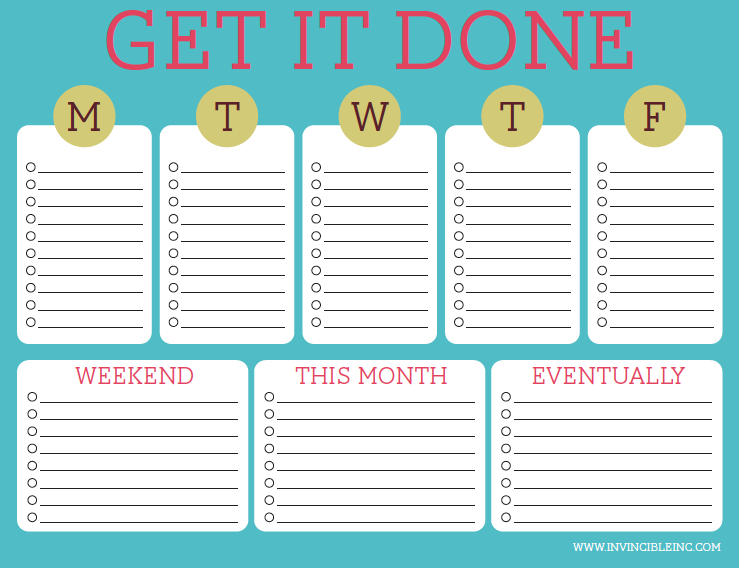
If you’d like to join me this week, here’s what you do. Read Agota’s guest post on Productive Superdad, taking note of the FAQs at the end. Choose a means of making your lists. I’ll be using paper for the monthly and weekly goals and will have digital daily lists that I will print out. Create your weekly list by drawing from your monthly list. Each day (either the night before or morning of), create your daily list based on your weekly list. Cross off tasks as you do them. Like the list above? It’s not perfectly suited for this, but you can download it here.
Click here to see how my week with a daily/weekly/monthly to-do list went.
This week I tested whether Personal Kanban could improve my productivity. I used the traditional method of Post-It notes and a dry erase board. Scroll to the end of last week’s post for more details.
How Personal Kanban Saved My Sanity This Week
Helped me visualize my work. I’ve learned that I benefit from having an offline picture of my work in as big a format as possible. I decided to use my large vanity mirror for my Backlog color-coded notes. I could scan them and choose the ones I wanted to work on by category. I also discovered that I have a LOT of blog-related tasks.
Gave me a reward for completing tasks. It’s a good feeling to move those sticky notes across the board and into the Done column. I was motivated to remove as many sticky notes from my mirror as possible (my teenage son thought I was really weird).
Was portable. No, I did not put my dry erase board in my purse. But when I knew I would be at the dentist’s office with my laptop for three hours, I quickly pulled the sticky notes I knew I could work on, added them to a piece of paper, and popped them into my laptop bag.
How Personal Kanban Made Me Crazy This Week
Sticky notes not so sticky. I did have to restick them quite often when they fell off the board. It wasn’t a deal breaker. I did read about people who used magnetic cards instead. I would have to have dozens and dozens of magnets!
Didn’t limit my work. One of the main reasons I was excited about Kanban (besides visualizing my work) was to force me to limit the amount of work I took on. The problem is there aren’t any limits on the work being fed into the system, only on the tasks being worked concurrently. I’ve discovered that isn’t an issue for me. I don’t tend to flit from thing to thing when I’m actually working on them.
Work is never complete. Routines, Do it Tomorrow, and Scheduling tasks all gave me a sense of completion at the end of the day. With Kanban there is a never-ending stream of work coming into the system through Backlog. I started to feel hopeless. Then again, maybe it’s the winter that refuses to end!
Did Personal Kanban Help Me Get More Done?
Yes. For the better part of the week, I was motivated to complete as many tasks as possible. It was when I realized I would never finish them all, that the approach broke down for me.
While I don’t want to continue using Personal Kanban, I see a lot of value in having a visual representation of work. Using it to track projects could be very beneficial. I’ve created forms I use for blogging that use checklists for every phase of a post that remind me of Kanban.
A friend sent me a picture of her Kanban board and thanked me for the idea. In no way would I want to discourage anyone from using an approach that works for them. That’s the point of this series! I’m finding what works for me and hopefully you are, too.
**UPDATE**
Although I do not use Personal Kanban for all my tasks, I use it for writing curriculum. I have a large dry erase board at my desk. I have columns of tasks that have to be completed for each lesson (some of which others on my team have to do). I find it motivates me, organizes me, and gives me great peace of mind. Highly recommended for work that goes through a process.
The Productivity Approach I’ll Be Using for Week 14
This week I’ll be using Eat That Frog by Brian Tracy.
The concept. Brian Tracy argues that having a written list of tasks to do the next day will increase productivity by 25%. Furthermore, choosing the top 20% of tasks that make the most difference in your day, work, or life allows you to get the most results for your efforts. Brian says that most people do easy tasks to try and “warm up” to the day, in essence wasting valuable time.
Eating a live frog first thing in the morning is the analogy for choosing to do the worst task first. The work may be repulsive to you because it’s a big, time-consuming task or is just something you don’t want to do. But to be a “frog,” it must be the most important thing you could do that day. Once that frog is “eaten,” you can continue to work your list by identifying the next most important task. This way of working is not only supposed to improve your self-control, but will increase productivity by 50%.
I’m one who has really resisted eating the frog first thing. I read this Pick the Brain article by Tom Casano (who also sang the praises of doing the worst first) and realized that I could probably get myself to do this now that I use a 50/10 Pomodoro. If I know I can take a break after 50 minutes to do some fun tasks for 10, I might be able to stomach a frog or two.
If you’d like to join me this week, here’s what you do. Read about the basic philosophy of Eat the Frog and watch the short video. Make a list of the next day’s tasks. I’m going to make an electronic list which I then print, but you can use any method you like. I think you could choose your most important tasks the night before, but I prefer to do that in the morning. It’s amazing how different things look overnight! Then eat that frog. I’m going to try and eat the frogs in successive order of importance, but my main goal will be the top frog.
Click here to read how my week of Eat That Frog went.
If you’ve tried Personal Kanban to increase your productivity, please vote in the poll below.
Here are the links to the productivity hacks I’ve tried so far:
This week I tested whether the Repeat Test would improve my productivity. The Hourly Chime iPhone app reminded me to determine if I was happy with how I spent my time in the previous hour. If not, I wrote down what didn’t work next to that hour on a piece of paper. Scroll to the bottom of last week’s post to read more about my planned test.
How The Repeat Test Saved My Sanity This Week
Helped me realize that I’m happy with my time management. While I know I have too many commitments, I was surprised that most of the time I felt I was using my time in the right way–even when I was indulging in leisure activities.
Helped me to limit time wasters. Knowing that I would have to ask myself if I was using my time in the best way kept me from spending too long online, for example.
Enabled me to identify areas for improvement. The only times I wasn’t happy with time usage was when I was doing activities that should have been multi-tasked. For example, while I felt the phone calls I took were valuable, sitting while talking wasn’t. I could have easily gotten some cleaning or laundry chores done and would have felt better about the hour.
How The Repeat Test Made Me Crazy This Week
Not a long-term solution. I loved the meekness of the hourly chime and I did remember to consider my time usage. But I can’t see continuing this beyond this week. The motivation won’t be there. However, I think doing this again in the future would be a good idea.
Doesn’t consider the long view. I had one occasion where I was happy with my hour, but when I was pressured about a deadline because of how I spent my time, I reconsidered. However, I don’t see any problem with recording time wasters later in the day if you change your mind.
Did The Repeat Test Help Me Get More Done?
Unequivocally, yes. I found it to be one of the more pleasant weeks, because the overhead of the method was low and the metric makes the most sense. Who cares if you get lots of tasks done if you aren’t happy that you did them? Of course, I can see potential problems with people who are happy with how they’re spending their time, but their colleagues and families are ready to wring their necks! The thing is, I doubt this irresponsible type would use this test anyway.
**UPDATE**
While I haven’t used the Repeat Test specifically, I believe the 5 Minute Journal app and the scheduling method I use on Skedpal serve the same purpose. I am always asking myself if I am using my time in the best possible way. I think the Repeat Test is an excellent analog solution for procrastination.
The Productivity Approach I’ll Be Using for Week 13
This week I’ll be using Personal Kanban. I’ll be using a small dry erase board I purchased at Target and small Post It notes.
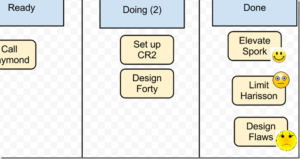
The concept. Personal Kanban is a means of visualizing and limiting your work using Post It notes and a dry erase board. It’s been used successfully in the workplace for teams, but is useful for personal productivity as well. The labels of the columns vary depending on your work, but at minimum there should be a place (even off the dry erase board) for backlog tasks. There is a column for work that is ready to be done or that you are wanting to work on soon. The Doing column is for active tasks. This is where limits are required. I will be working with a limit of 3. In other words, if I have three tasks I’m working on and find yet another I want to do, to be true to the method, I would have to complete one of the tasks, moving it to the Done column. I can’t wait to use this as an excuse when my family wants me to do something for them. 😉 Although the idea is that everything you do be included in the system, so you see all the work you have in progress, I won’t be dismantling my routines or taking the time to add them to the board. I will, however, use different colored notes for the major areas of work I have.
If you’d like to join me this week, here’s what you do. Read about the basic philosophy of Personal Kanban. Decide what you will use to track your tasks. Doors, walls, windows, and file folders (putting the Doing and Done columns on the bottom of the file folder) are all options. This online Personal Kanban has a free trial. Decide which columns to use. I’m adding a couple. I have a Today column and a Pen column for tasks that can’t progress because I’m waiting on someone or something. Decide how many tasks you’ll allow to be in Doing at a time. Add your tasks to the backlog. For a week of testing, I’m only including tasks that I want to complete in the coming week. I’ll be adding more as they come up. Work your tasks through to being done. If you want more inspiration, read this series of blog posts about using Personal Kanban.
Click here to see how my week of testing Personal Kanban went.
If you’ve tried The Repeat Test to increase your productivity, please vote in the poll below.
Here are the links to the productivity hacks I’ve tried so far:
I’m a Christian psychologist turned homeschooling mother of six. My life can be a little crazy, so I look for sanity-saving ideas to use and share. I hope you’ll read my About page to learn more.